Using Chaos Line with Cubase
Chaos Line is a MIDI sequencer plugin. It runs as a MIDI effect in audio apps. This means the setup is a bit different to normal audio effects plugins.
1. Download the instrument version #
Some apps, like Cubase, require MIDI effects plugins to be tagged as an instrument. We have a special version of Chaos Line for apps with this requirement. Please download the instrument version below.
2. Add a MIDI track #
Add a MIDI track, and set Chaos Line as the instrument.
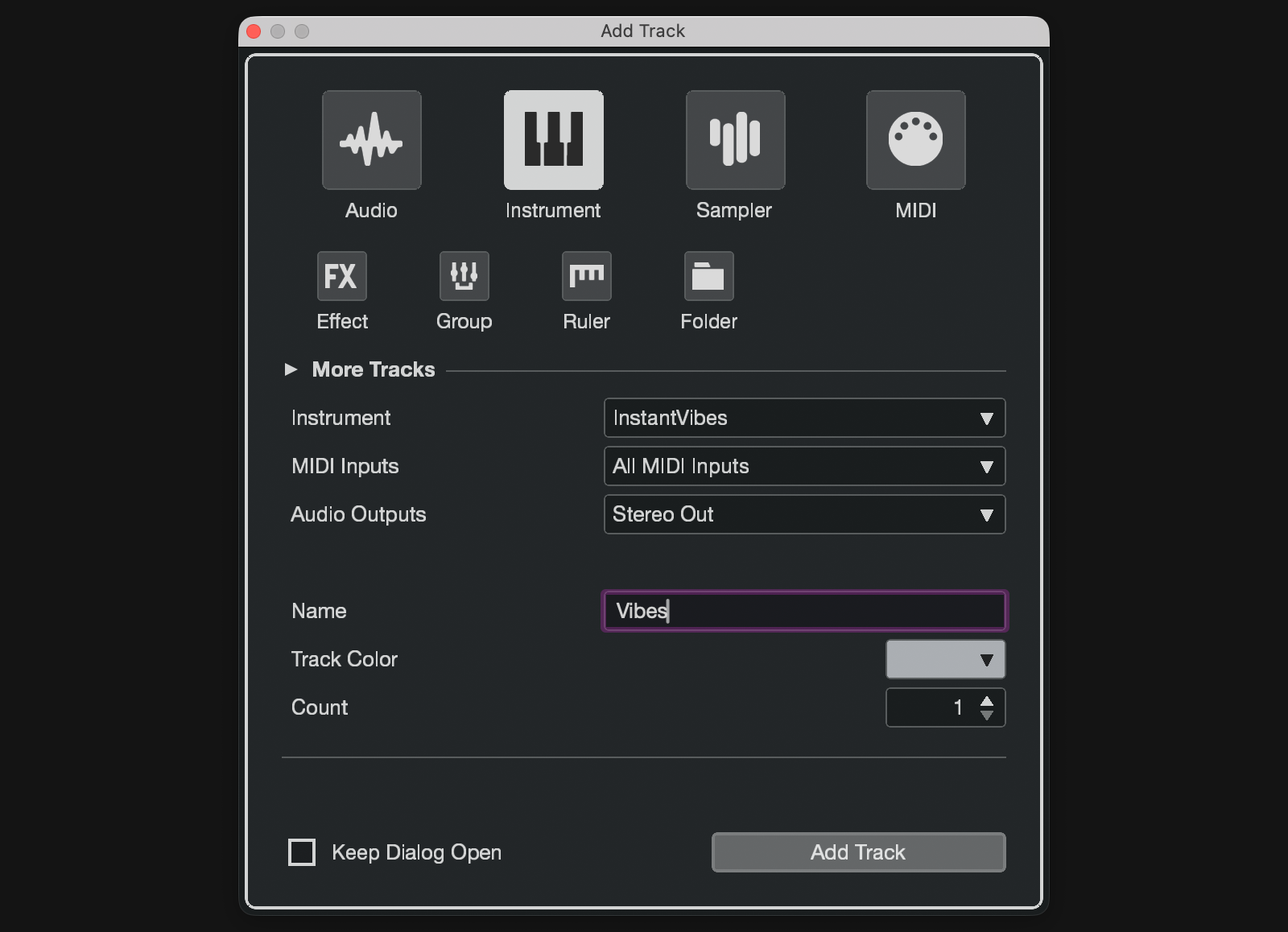
3. Add an instrument #
Add another MIDI track for the instrument you’d like to play sound out of. For example, a synth. Set the input for this track to be set the MIDI Memories Event Out.
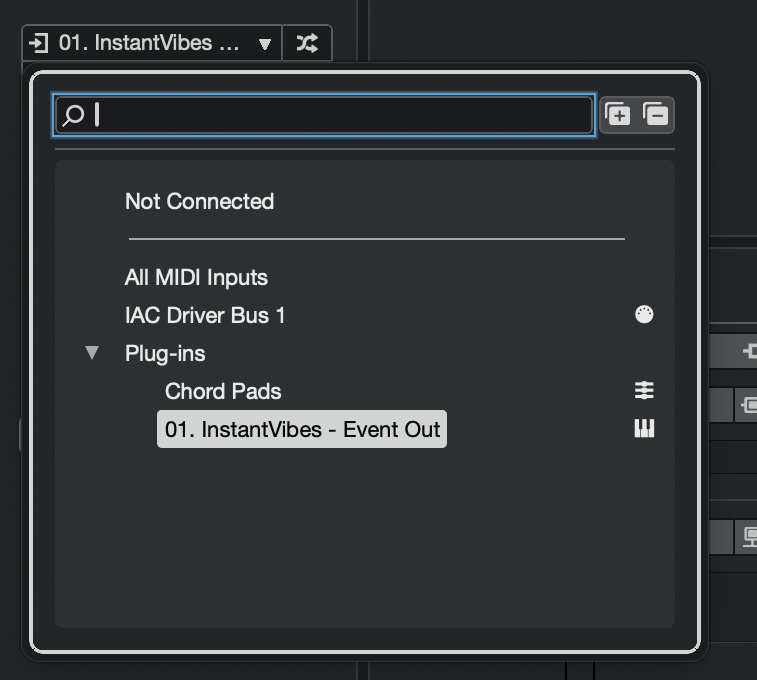
You’re all ready to go! Events sent to the MIDI track with Chaos Line will be processed, and then played on the instrument on the second MIDI track.