Using Instant Vibes with Reaper
Instant Vibes is a human MIDI groove unquantizer plugin. It runs as a MIDI effect in audio apps, changing the timing or velocity of notes. This means the setup is a bit different to normal audio effects plugins.
1. Add a Instant Vibes to a track #
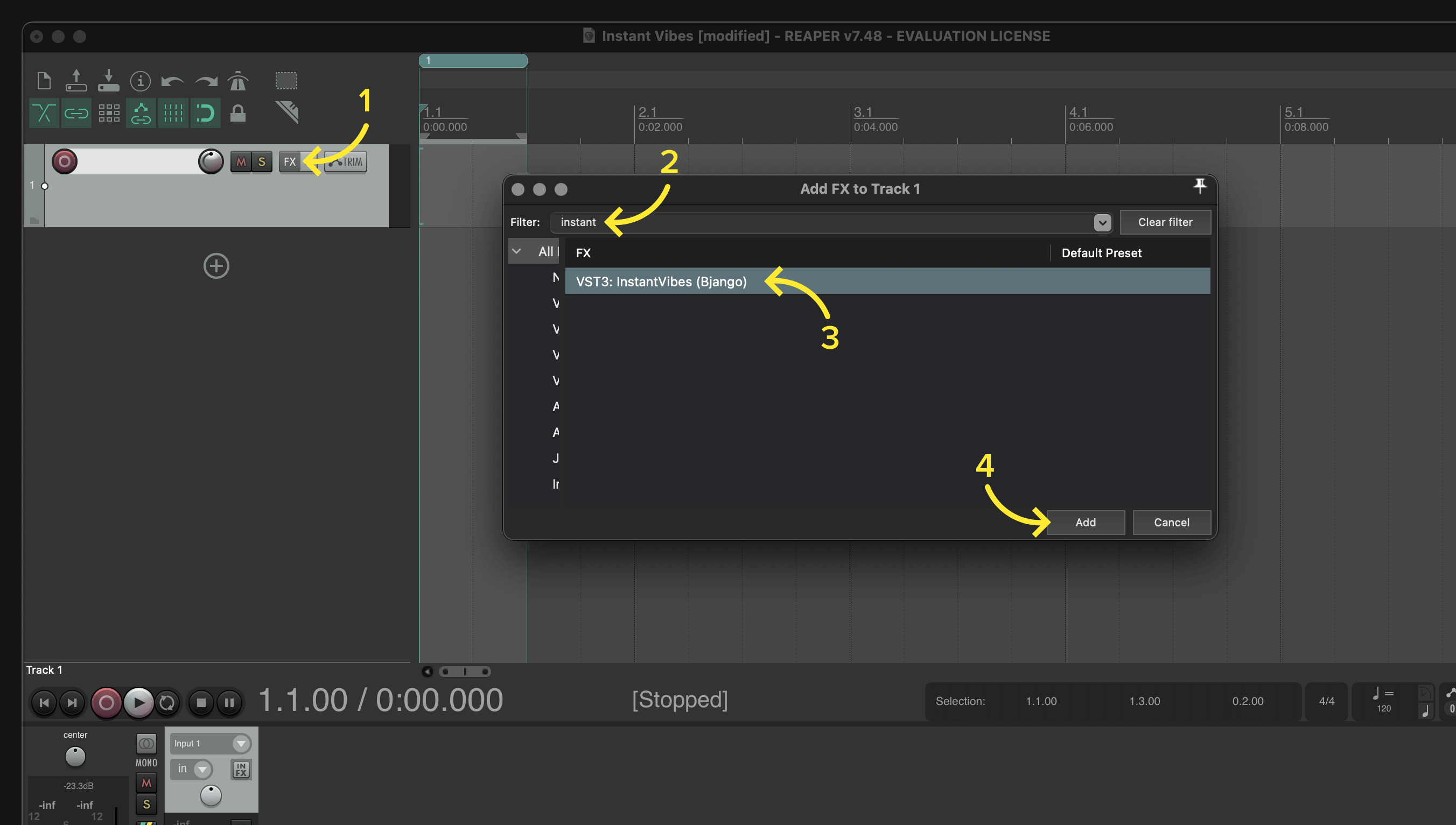
Instant Vibes can be added to a track by opening the FX window, searching for “Instant Vibes”, selecting it in the list, then clicking Add.
2. Add an instrument to the track #
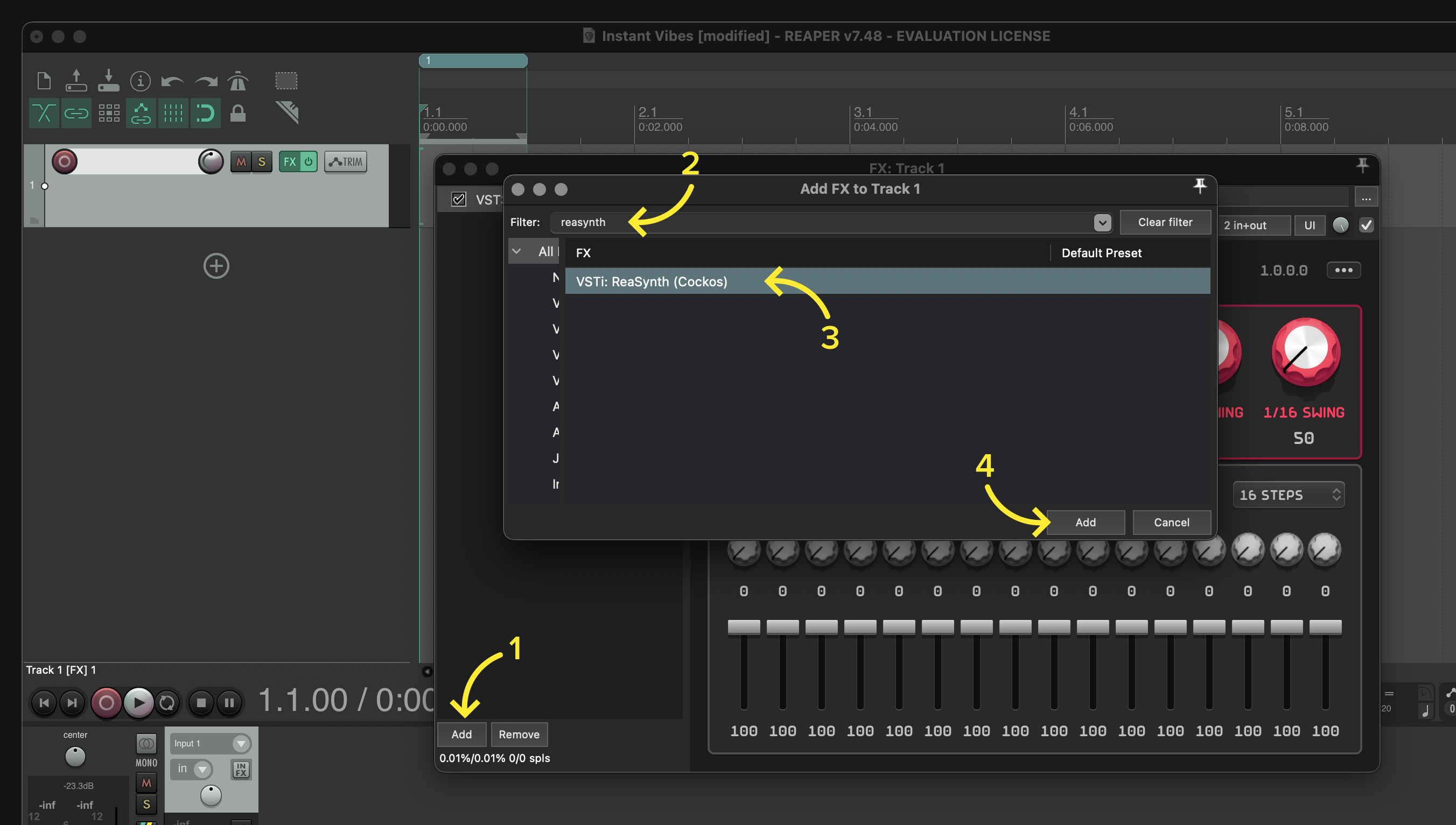
Instant Vibes processes MIDI events, and doesn’t make any sound itself. An instrument will need to be added after Instant Vibes to hear the something. To do this, click the Add button in the FX window, search or browse for an instrument, click it’s name, then click Add.
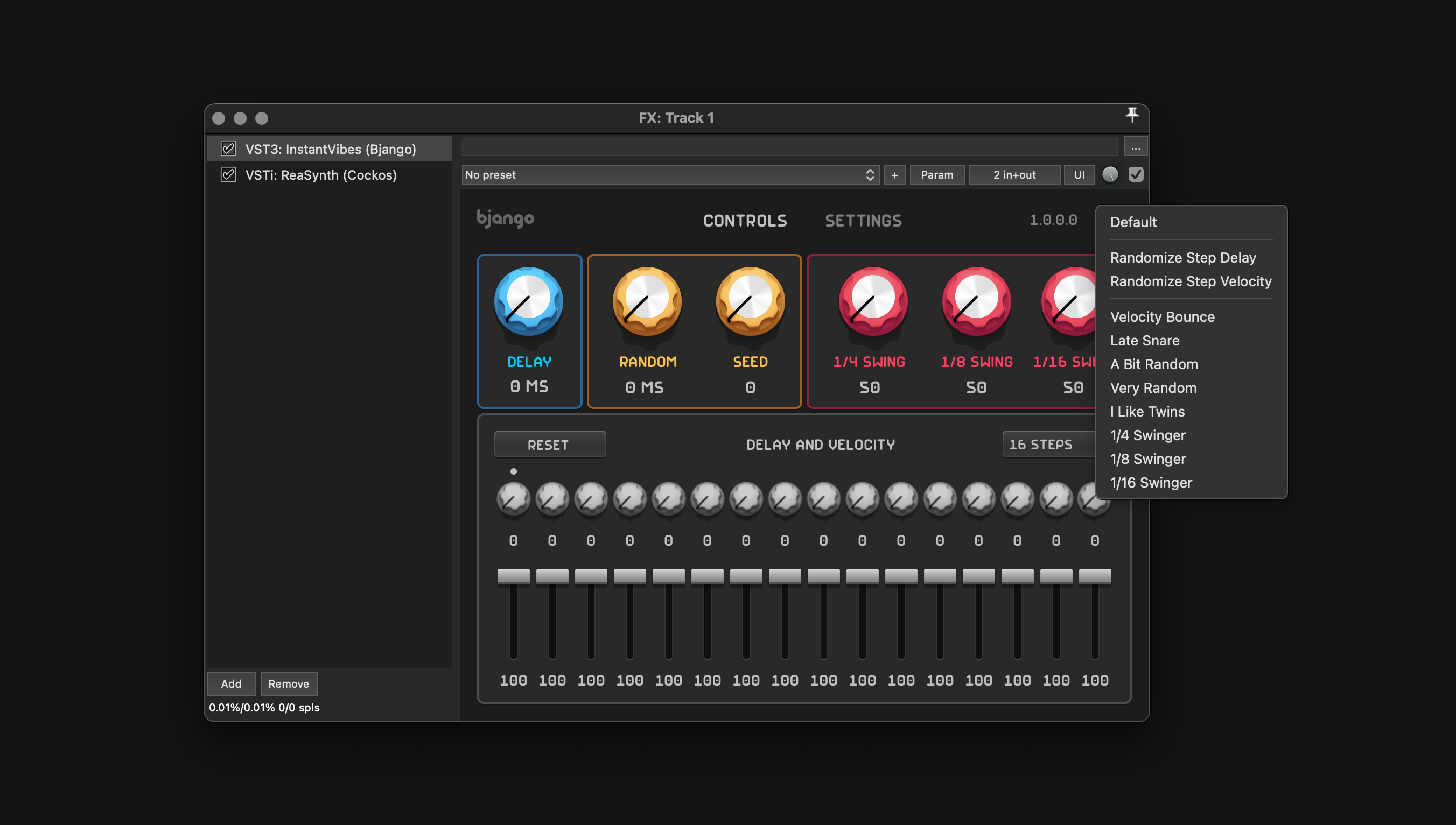
You’re all ready to go! The button on the top right of the plugin contains some presets that can help you get started.
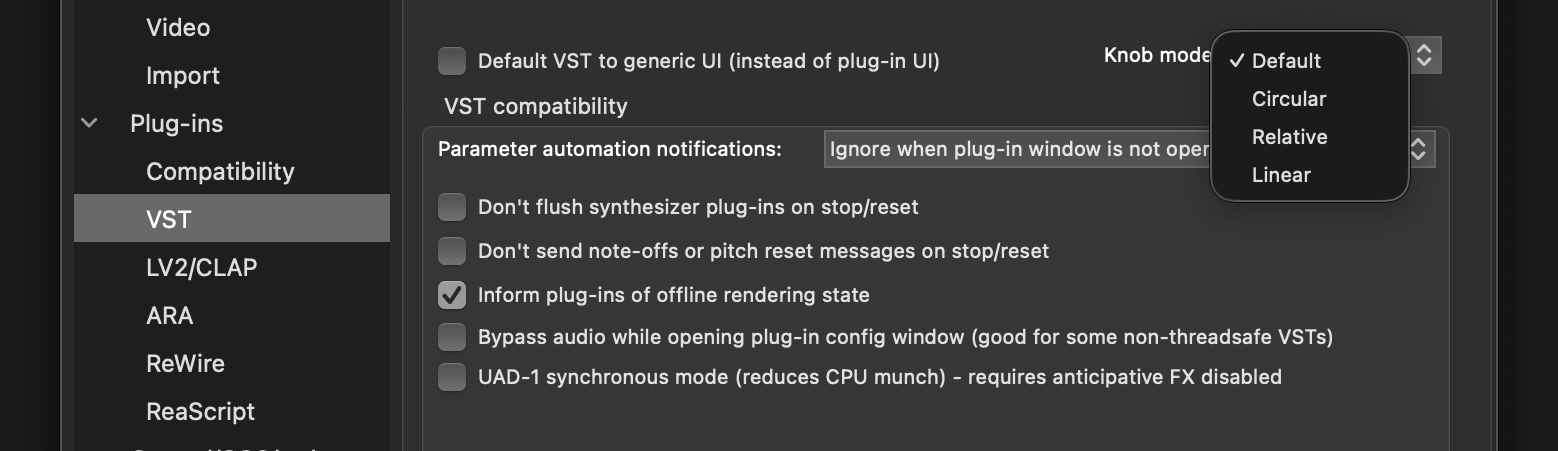
Dragging dials #
The behaviour when dragging the dials in Instant Vibes and other VST plugins can be changed via Preferences › Plug-ins › VST › Knob mode. Linear will increase and decrease as the cursor is dragged up and down respectively. Default points the dial towards the mouse cursor. Please note that you’ll need to click Apply or close the preferences window for the change to take effect.