Fixing home permission issues
The instructions in this page only apply to iStat Menus 7.3 and earlier. If you are using iStat Menus 7.5 then these do not apply.
If you’ve moved your home folder to an external drive, launch agents may not load properly, because of permission issues.
Granting full disk access #
If your home folder has been moved, iStat Menus requires full disk access to function correctly. To do this, open System Settings and navigate to Privacy & Security › Full Disk Access, then click the + button. When the open window appears, press ⇧⌘G (shift-command-g) and type or paste this location in:
~/Library/Application Support/iStat Menus 7/
Then, select the iStat Menus Helper and iStat Menus Menubar and click open. They should now appear in the list of apps with full disk access.
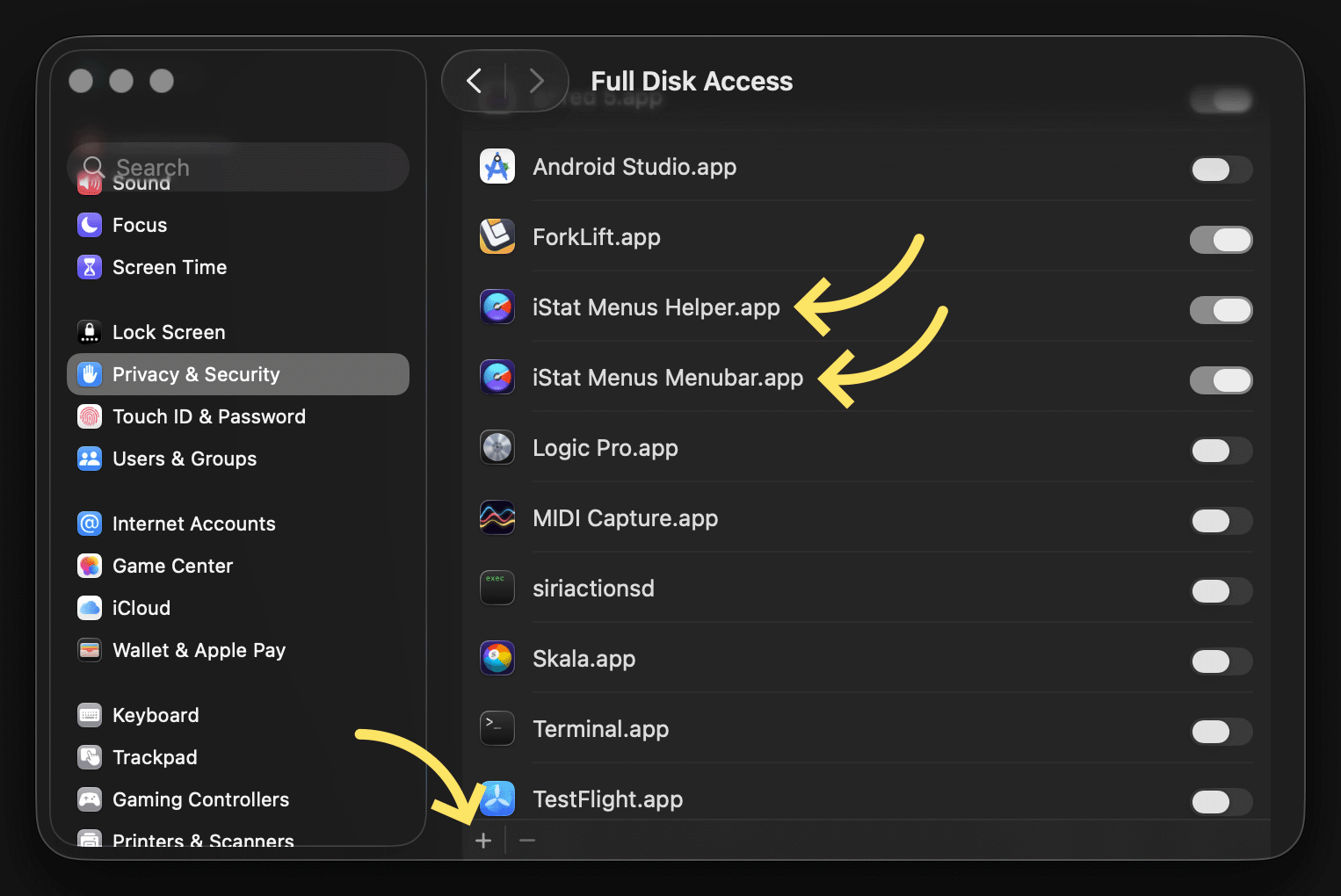
As an alternative method, it’s also possible to open Finder and choose Go › Go to Folder and type in the location above. From there you can drag iStat Menus Helper and iStat Menus Menubar into the System Settings window when on Privacy & Security › Full Disk Access.
Click play in iStat Menus #
Then, open iStat Menus and click the play button to the left of the Global text.

If the steps above don’t fix the issue, please follow the optional steps below.
Run chown (optional) #
Type or copy the command below into Terminal and press enter. Terminal can be found in /Applications/Utilities/.
sudo chown -R "$(id -un):$(id -gn)" ~/Library/LaunchAgents/
Fix permissions (optional) #
And then, type or copy the command below into Terminal and press enter.
chmod 755 ~/Library/LaunchAgents/
Then, open iStat Menus and click the play button to the left of the Global text.