Using MIDI Memories with Reaper
MIDI Memories is a MIDI effect. This means the setup is a bit different to normal audio effects plugins.
1. Add a MIDI Memories to a track #
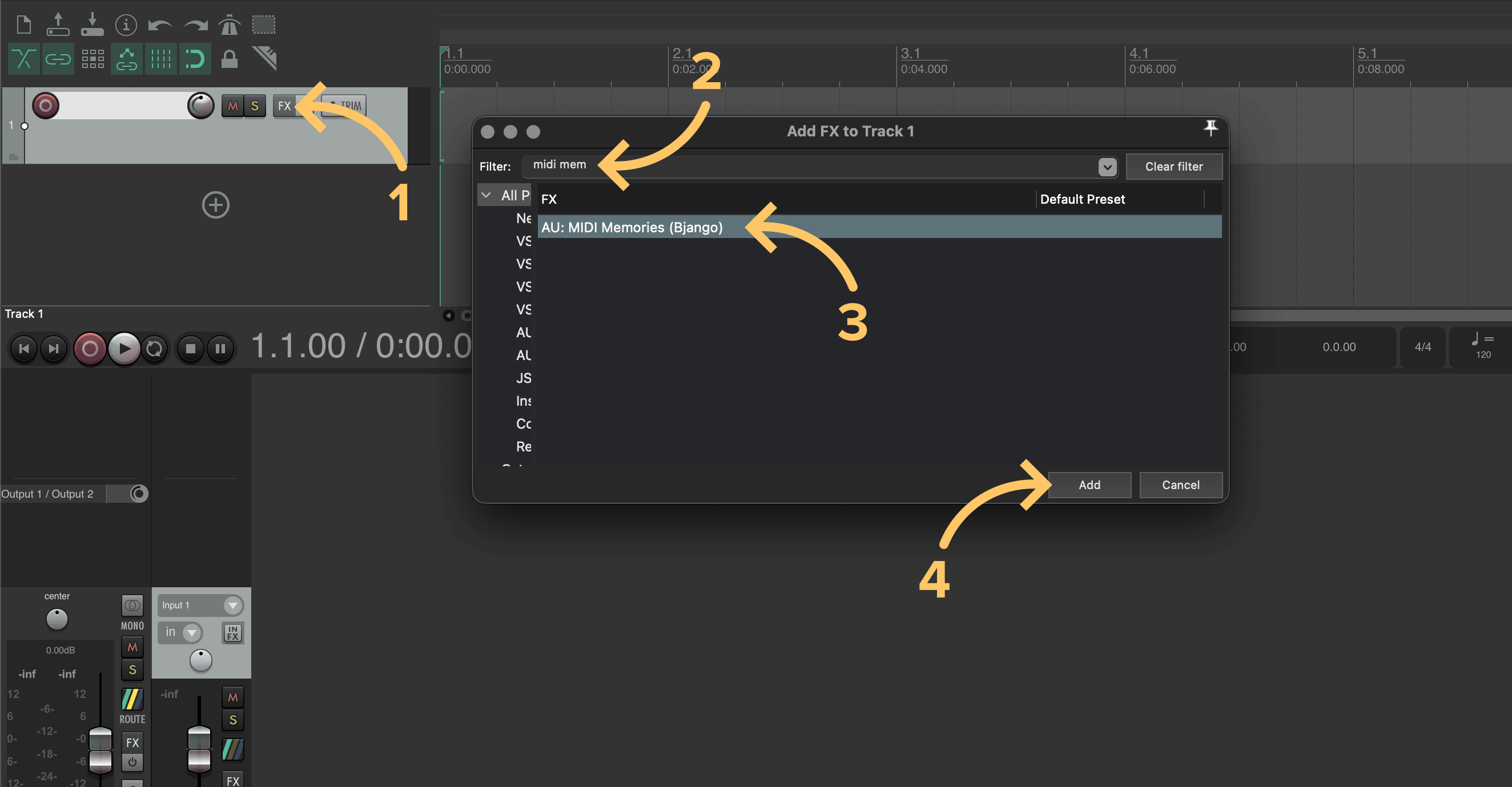
MIDI Memories can be added to a track by opening the FX window, searching for “MIDI Memories”, selecting it in the list, then clicking Add.
2. Add an instrument to the track #
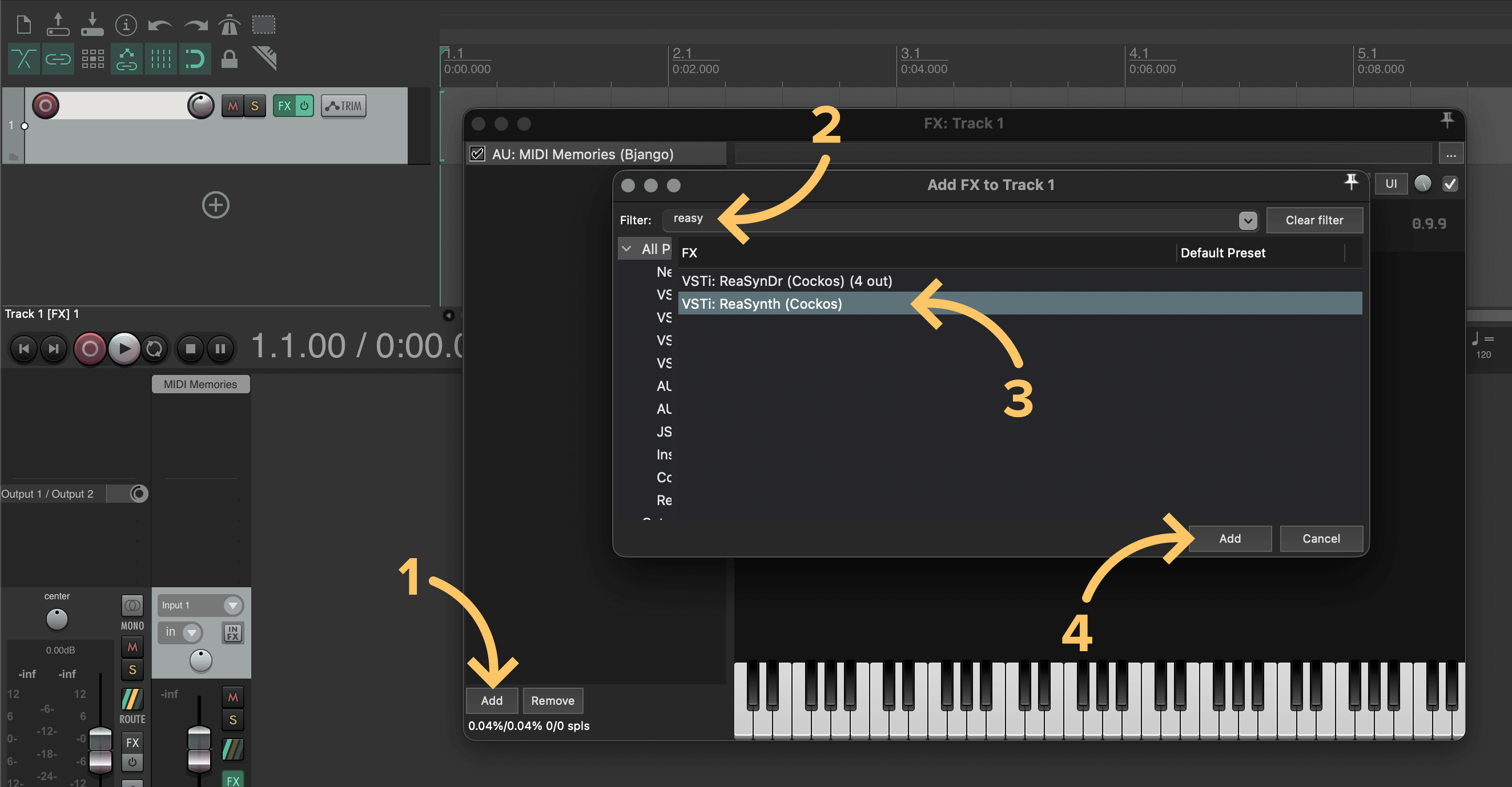
MIDI Memories processes MIDI events, and doesn’t make any sound itself. An instrument will need to be added after MIDI Memories to hear the something. To do this, click the Add button in the FX window, search or browse for an instrument, click it’s name, then click Add.
You’re all ready to go! Press play and MIDI Memories will record and display all events that pass through the plugin.